Hisaab-Kitaab - IIT Bombay HCI Project
Home Accounting Application
Project Brief
After the demonetization of 2016, after the introduction of UPI and VPA, and now post-Covid19 cash concerns, a lot of retaining payment is shifting to digital. Vegetable vendors, Kirana shops, and auto drivers have become more willing to accept digital payments than they were just a few years ago. From an interaction design perspective, this is both a problem and an opportunity. The problem is that more money becomes virtual, intangible, and difficult to visualize.
The opportunity is that this can help families do their accounting, planning, and saving better than what they have been up to so far. Current payment apps are doing many things (some might be needless things), such as e-commerce, but they are not helping families keep track of their accounts. Here is an opportunity for us to design an integrated app that allows us to both spend and save by keeping track of our home accounts.
Our Focus
- Understanding whether people are currently managing personal finance or not, and the reason for not managing personal finances.
- If they are managing, what are all methods they are using?
- Do they manage finances for the whole family, or just for them?
- Do they use any standard template/ artifact to manage their transactions?
- What all are the standard categories they maintain their finances?
- What are the issues they face currently while transacting with others?
Virtual Contextual Inquiry
We Interviewed Diverse People throughout India who is associated with Personal Finance at Home
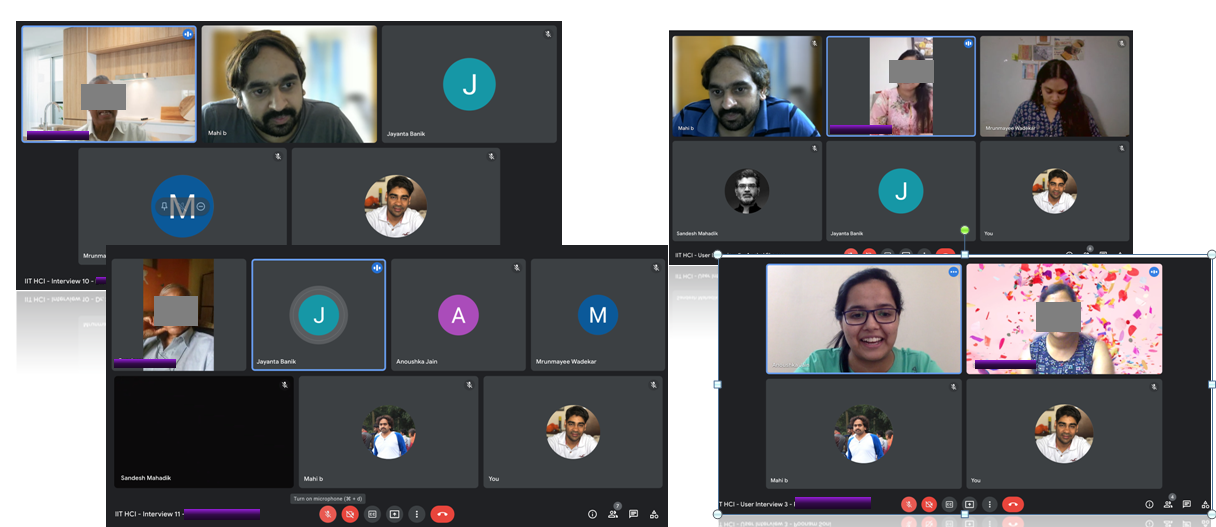
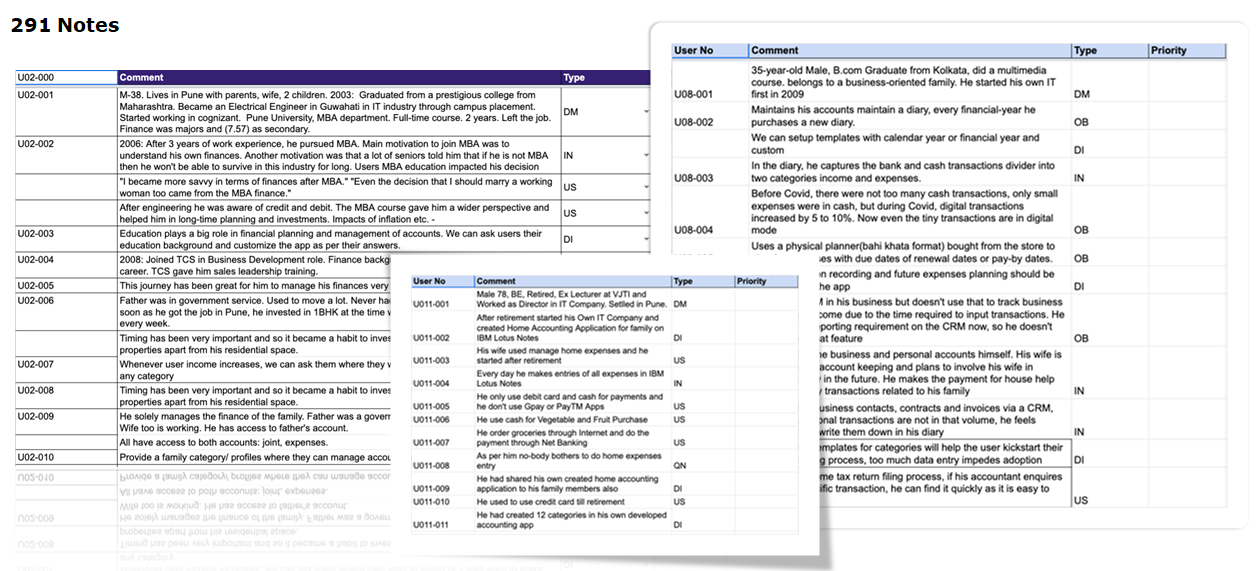
Interpretations
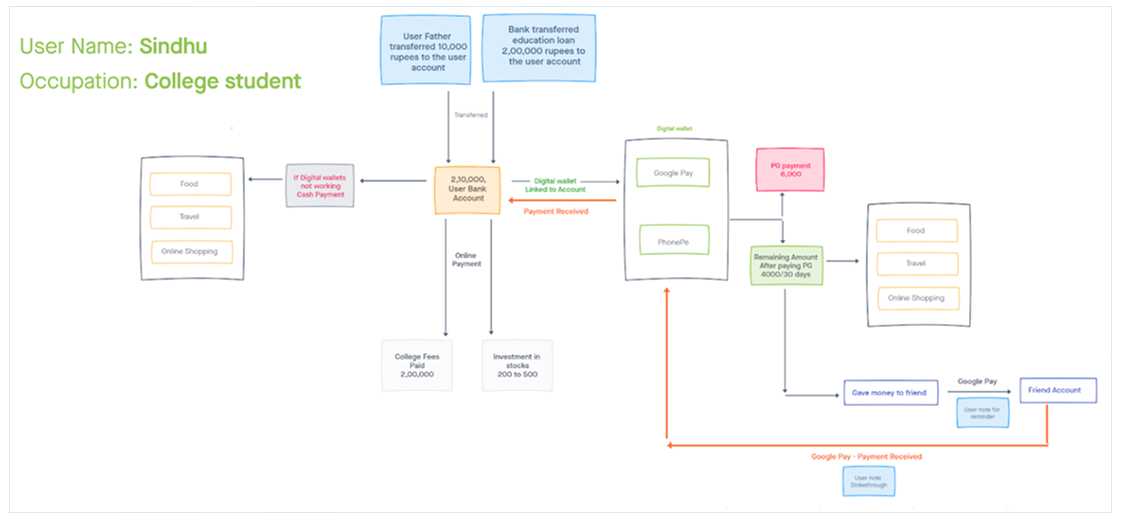
Work Model – Flow
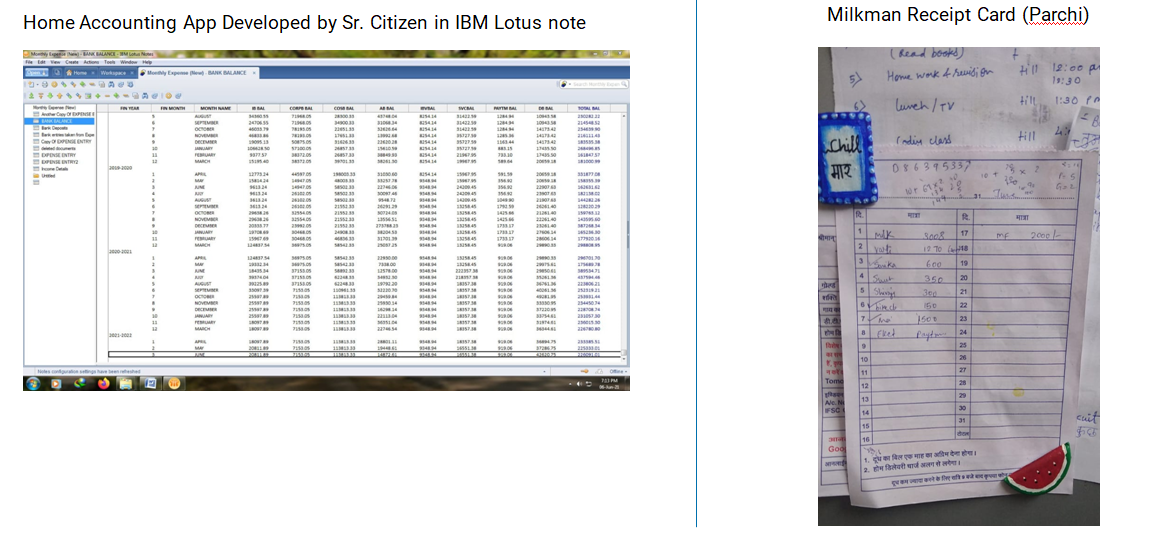
Reference Artifacts
Affinity Mapping
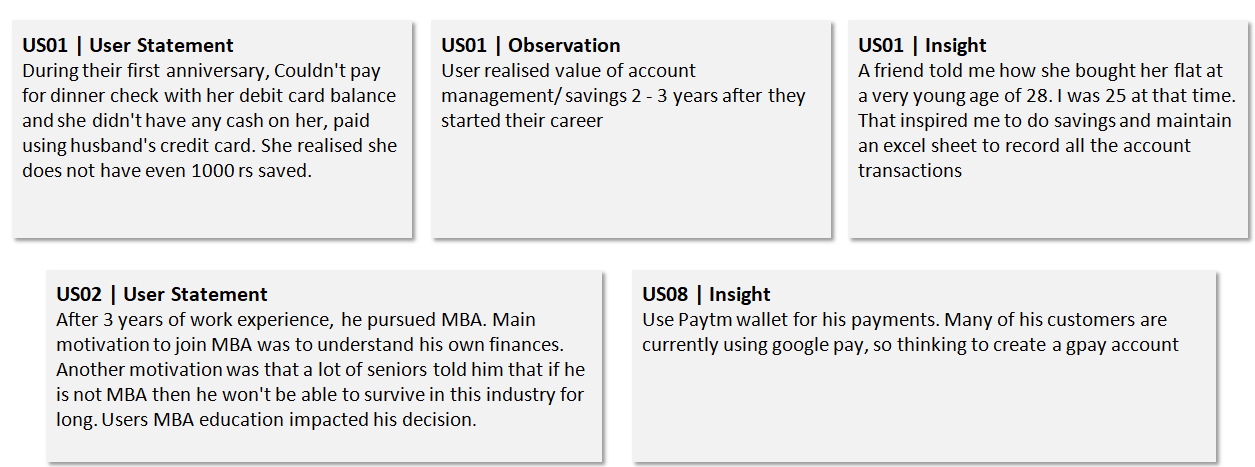
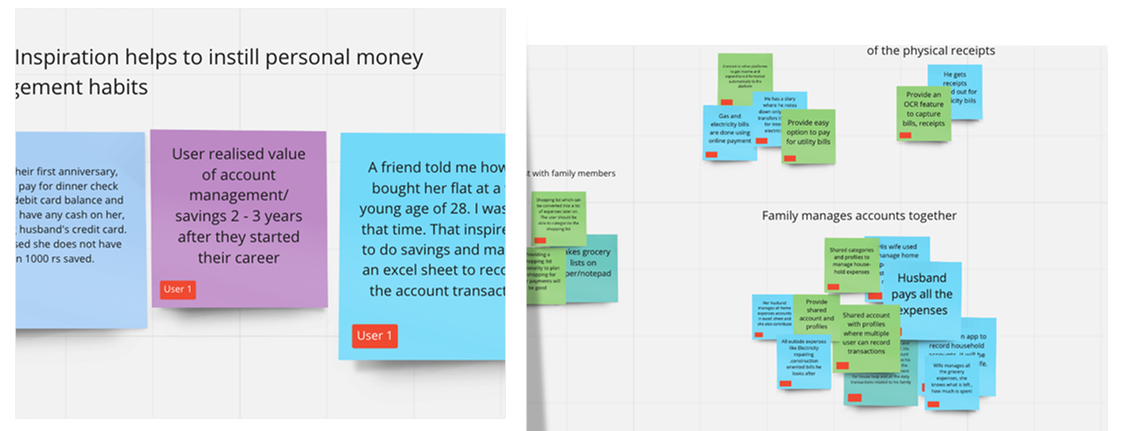
Key Insights
- Awareness and education in terms of personal finance is low People manage finances for their families
- The cash payment method most preferred for small household expenses
- Usage of diary/planner(Bahi Khata) is common
- Google Pay is preferred by most the user over PayTM
- Educated users prefer MS excel to record their transactions
- Notification & Categorization stands very important for all user groups.
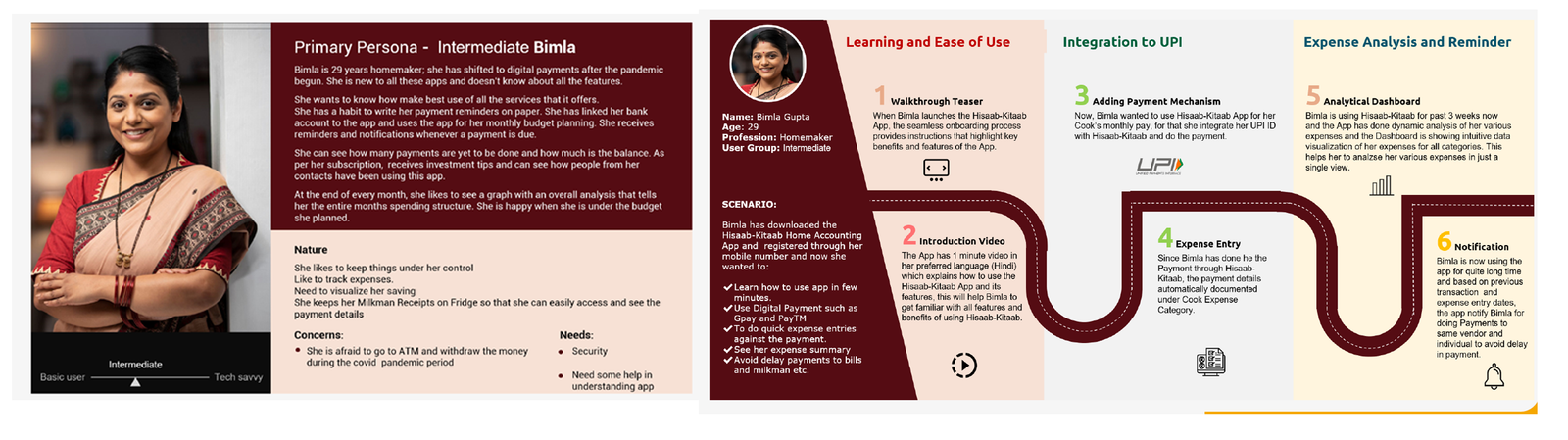
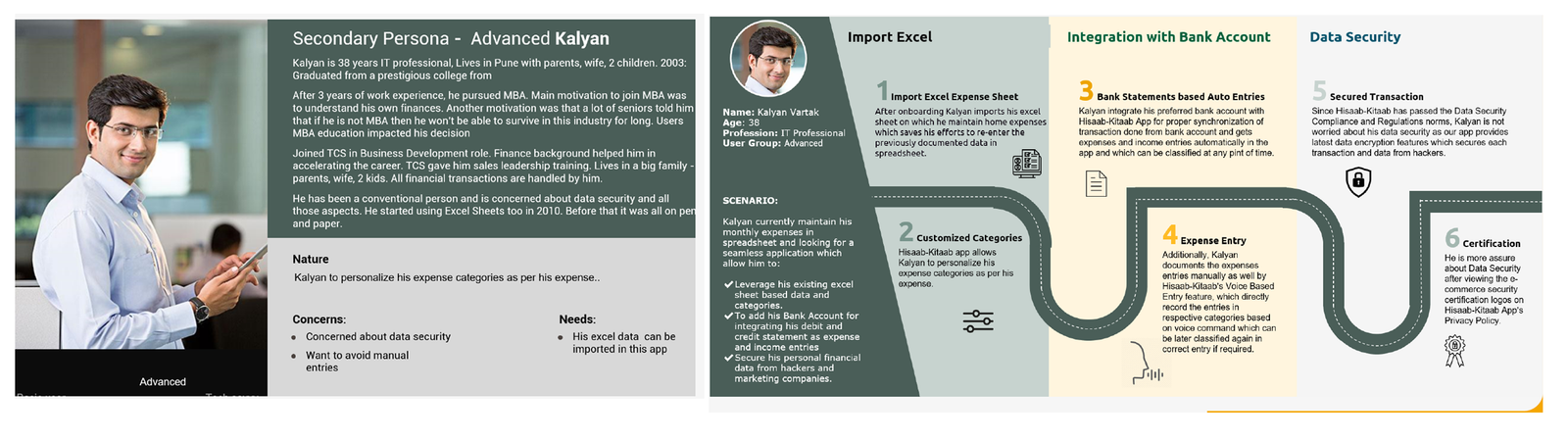
Persona and User Journey
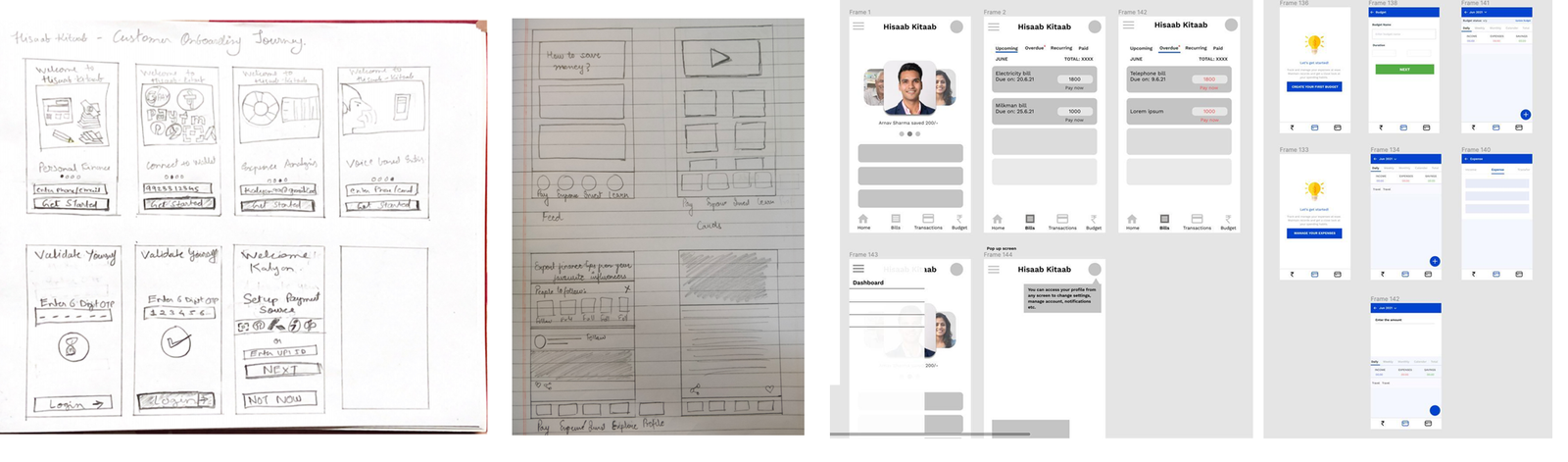
Concept sketches
Task was
Every individual need to draw out 4-5 quick ideas that solve the problem
Each individual presents their ideas to others and feedback.
Clickable Prototype for User Testing
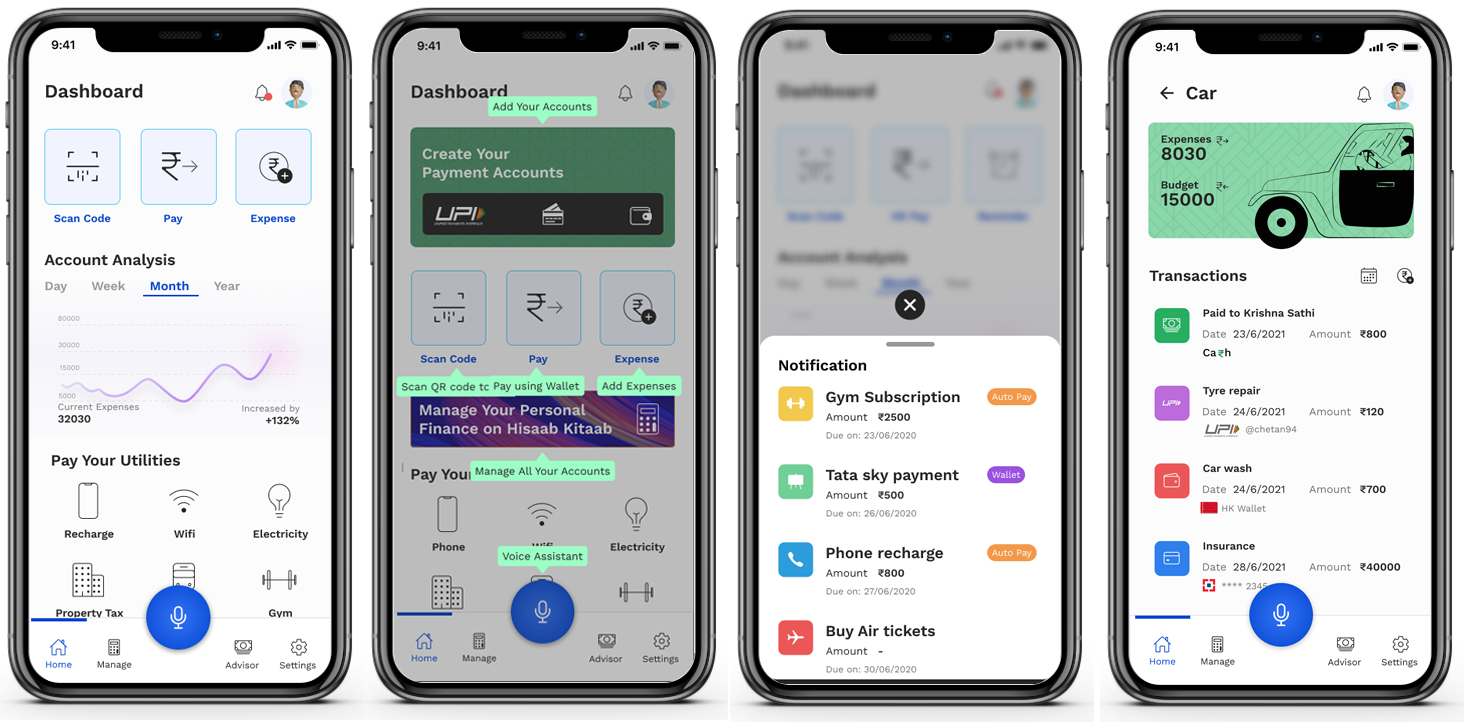
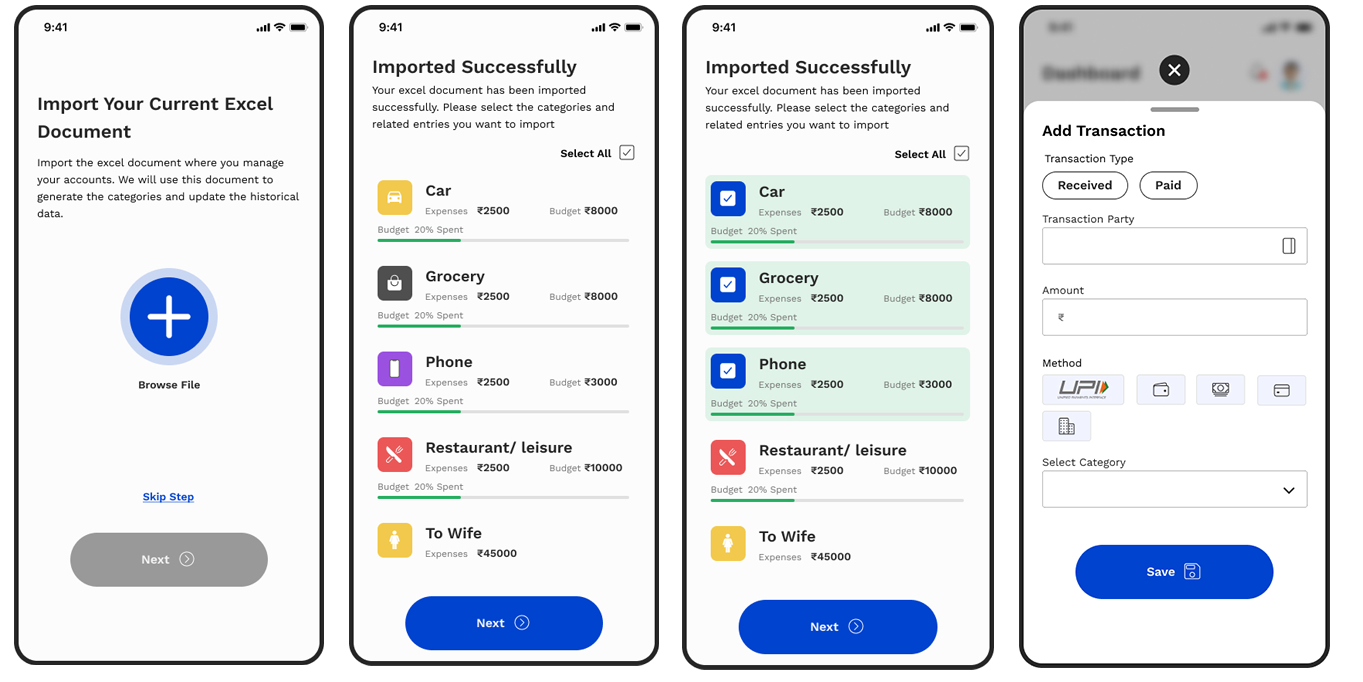
Design Evaluation and User Testing
- How intuitive and easy was the onboarding process for the first-time user?
- Can all user groups will use the voice feature to add expense entries?
We observed users while they were interacting with prototypes and guided them in some scenarios in which they got stuck and confused.
- New User Registration
- Import Excel
- Add Expense
- Create Category
- Check Notification
- Do you consider this app useful?
- How easy was onboarding?
- How was your experience while adding expense entry?
- Did you able to use the voice feature easily for adding voice-command-based expenses entry?
- Upload an Excel file is helpful?
- Were you able to identify the notification?
- Will you create a new category?
Findings for User 1
- She was able to understand some of the options that we have provided.
- She found the “Voice entry option” confusing. Asked “does this record only payment?
- How was your experience while adding expense entry?
- user 1 was not able to understand the labels of the utility section on the home
- page After importing excel, can I change the category name and amount?
- She was not sure how to add new categories? She was not able to understand the "+" icon which represents the "Add Expense"
- She wants to see her expenses by month (filter)
Findings for User 2
- User 2 liked the Account analysis graph
- He was confused with the Voice button and thoughts it is the voice-based search feature.
- He wanted to see the last transaction while paying and perform an action
- He would like to clear his complete data at any point in time.
- He also wanted to have import and export to excel features as per his requirement.
©2021 Designed & Coded by Mahendra bhagavath